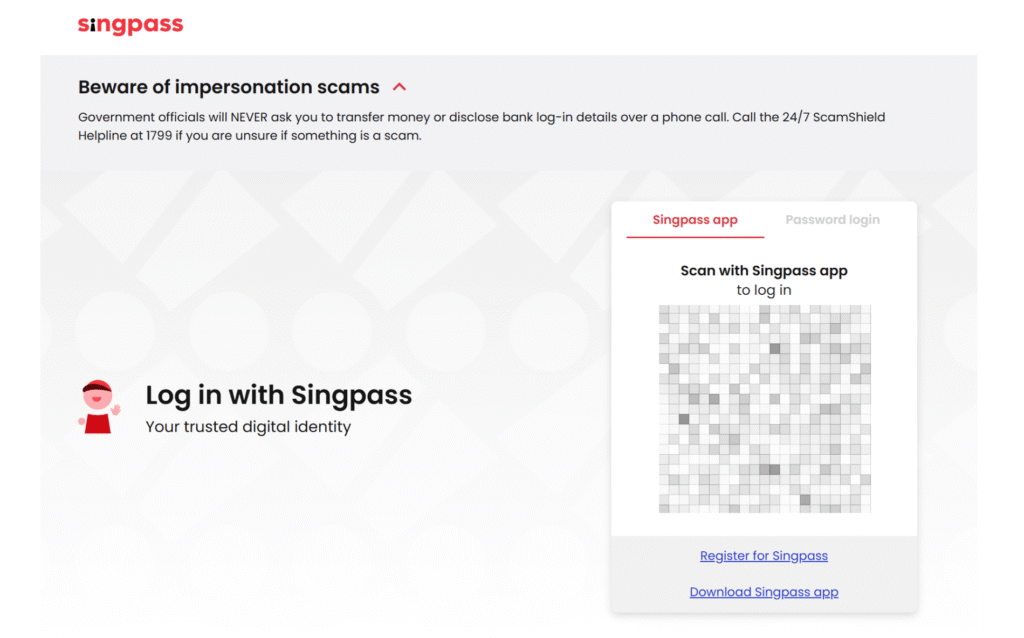
Visit www.myskillsfuture.gov.sg and click “Login” at the top right.
Sign in using your Singpass (QR code login or password).
After logging in, click your name on the top-right corner and select “SkillsFuture Credit” or “Check and Claim SkillsFuture Credit.”
Search for your course under the search bar or paste the direct course link from your training provider.
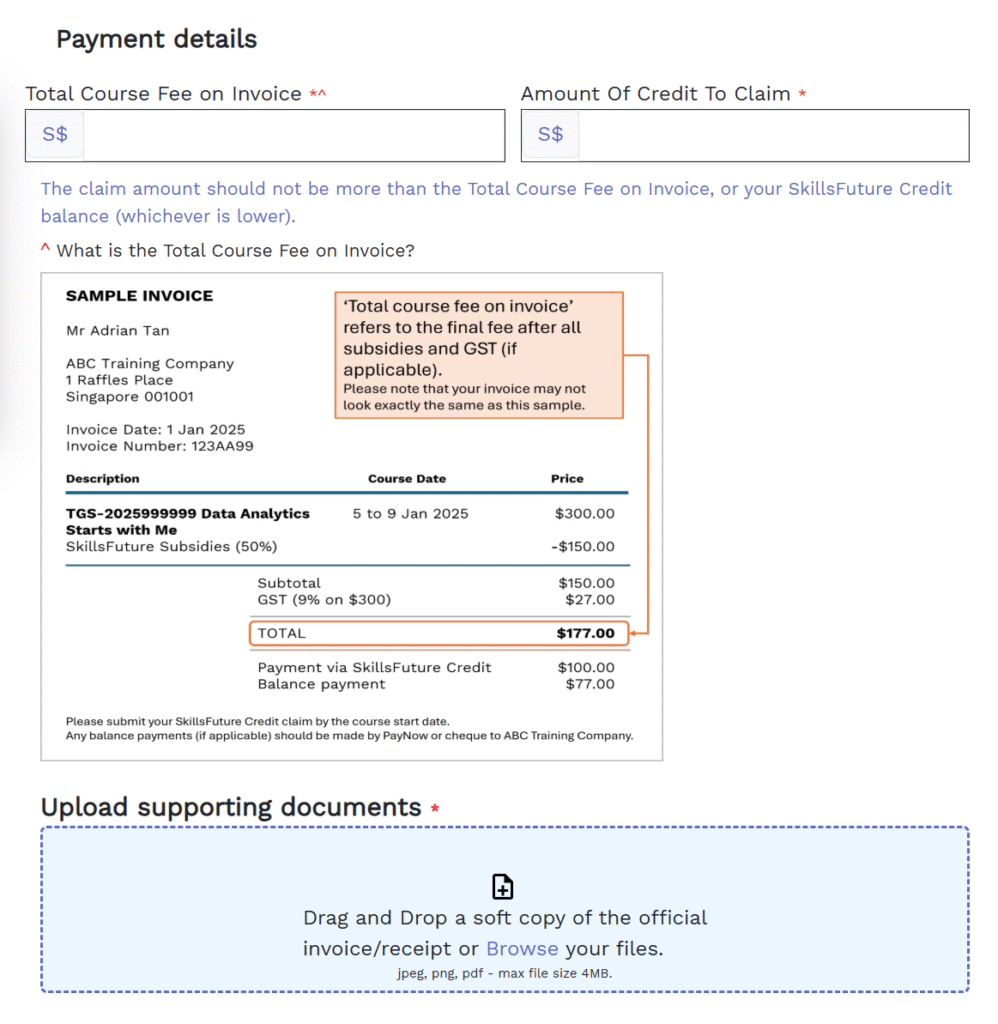
Fill in the required details:
Fee amount
Credits you want to use<br>
Upload official invoice from us, then click Submit.
You’ll receive an email once your claim is processed. The claim will show under Past Claims in your account.
You’ve successfully used your SkillsFuture Credits to support your learning journey.
Lionmark Academy
Get clear, simple tips on using your SkillsFuture Credits. How to check your balance and choose the right courses for your upskilling journey.
Main OfficeOne Commonwealth, #09-28Singapore 149544
Copyright © 2025 Lionmark